Home/Services/Remote Employee Laptop Setup
Laptops for remote employees, set up before they ship.
Micro-IT specs and buys the laptop for a remote hire through quoted project work at a fixed price, sets it up before it ships, and sends it to wherever they live, so on the first day they sign in, set up MFA and start work. Device onboarding is $185 a laptop, billed once; after that the laptop is $79 a month on Managed Endpoint, and a spare kept ready to ship is $29 a month on Standby Endpoint. When someone leaves, their access is cut first and the laptop is wiped remotely or set up again for the next person.
Updated
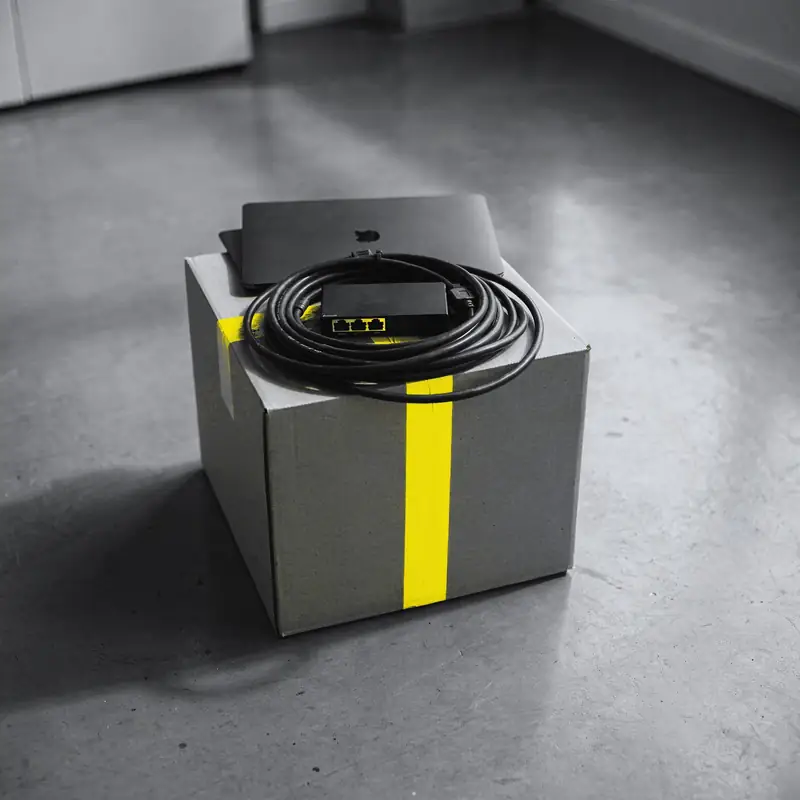
There is no desk to hand anyone a laptop across.
In a company with no office, the laptop is the whole workplace, and it has to reach a new hire in another state ready to use. Somebody has to choose it, buy it, put the security on it before it leaves, get the person signed in on their first morning, and get it back, or at least lock it down, when they leave. In a small remote company that job usually falls to an owner or an office manager with a shipping account and a spare afternoon.
Micro-IT runs that lifecycle as part of Managed Endpoint, for companies anywhere in the US: the same baseline on every laptop, the same helpdesk and the same response target every client gets. It is one part of IT for a remote company with no office.
What a remote hire’s first day looks like.
- You tell us who is starting and when. Their role decides their Microsoft 365 license, mailbox, groups and the shared files they need.
- The laptop is ordered. Specced and bought through quoted project work, at a fixed price up front, or one you already own is set up instead. Windows and Mac laptops are priced the same.
- It is set up before it ships. The laptop leaves already under Managed Endpoint, with the security below in place, and ships pre-configured to the address you give us.
- The first sign-in. The account is ready before they open the lid. They set up MFA as they sign in for the first time, and our helpdesk is a phone call away if anything sticks.
What is on the laptop before it leaves.
| Layer | What it does on a laptop that never sees an office |
|---|---|
| EDR | Datto EDR watched by a 24/7 SOC, so a detection reaches a person at whatever hour it happens. |
| Patching | Datto RMM installs updates on a written policy, and a laptop that keeps missing them becomes a name on a technician’s list. |
| Filtering | NextDNS category filtering, on the office network or off it, so it works on a home router or a hotel network. |
| Encryption | Full-disk encryption, so the data on a laptop that goes missing stays unreadable. |
| Backup | Image-level backup, so a failed laptop is a restore instead of a rebuild. |
| Vault | The password and documentation vault, and the laptop recorded against the person who has it. |
That is the same baseline every device under Micro-IT’s care gets, so a problem on one laptop has a known answer instead of a custom investigation. The Microsoft 365 side of a new hire, the account, license and mailbox, is covered on Microsoft 365 for remote teams.
Who buys the laptop, and who handles the warranty.
- We spec and buy it. Quoted at a fixed price before it is ordered and billed at cost plus a flat margin. The warranty is registered to us, so a repair under warranty is our phone call, not yours.
- You supply it. A laptop you already own, or one you buy yourself, is set up the same way before it goes to the person who will use it.
Either way, device onboarding is $185 a laptop, billed once. The hardware itself isn’t part of the monthly service.
When a laptop dies, goes missing, or leaves with someone.
The three days nobody plans for, handled in the same order every time. The account matters more than the hardware: without a working sign-in, a laptop cannot open company mail or files.
- It is failing. Hardware health is read overnight, so a drive that has started logging errors gets a replacement ordered while the old laptop still works. The image-level backup makes the swap a restore instead of a rebuild.
- It is lost or stolen. The person’s sign-in is blocked and every session signed out first. Then the laptop is wiped remotely through device management the moment it is reported missing, and full-disk encryption keeps its data unreadable in the meantime.
- Someone leaves. Access is cut before anything is handed over, so a leaver can’t empty a mailbox on their last afternoon. The laptop is wiped remotely or comes back to be set up again; if it never comes back, it is treated as lost and the record says so. The same-day offboarding checklist lists every step.
A spare laptop kept ready to ship.
For a company that cannot afford a lost week when a laptop dies before a client meeting, Standby Endpoint keeps your spare ready at $29 a device a month. It is stored encrypted at our office and tagged to your business. Once a month we power it on, install the updates and run a health check, so it ships current instead of months behind.
When you need it, it ships within one business day of your request, and the carrier cost is passed through. The day it is handed to a person, it becomes a Managed Endpoint at $79 a month. When a laptop comes back, we wipe it, set it up again and put it back on standby.
What it costs per laptop.
- Device onboarding: $185 a laptop, billed once, approved before any work starts.
- Each laptop in use: $79 a month on Managed Endpoint, with EDR, patching, filtering, backup and unlimited remote support during business hours.
- Each spare: $29 a month on Standby Endpoint, carrier cost passed through when it ships.
- The hardware: quoted at a fixed price before it is ordered, at cost plus a flat margin, or supplied by you.
The mailbox is $20 a month on Managed Inbox, so a person with a laptop and a mailbox is $99 a month. Whole-team prices are on IT for remote companies and the live estimator.